In order to run ASP.Net Core 1.0 in IIS you need to setup IIS with HttpPlatformHandler instructions are here. IIS configurations for ASP.NET Core 1.0 can be found here.
Follow the below steps to use msdeploy to deploy ASP.NET Core 1.0 from a remote machine
1. Install web deploy 3.5, using webpi in remote IIS machine. Make sure you have availability of Deploy menu in IIS. (close and open IIS)

2. Now install Web deploy 3.6 in the IIS machine, hosting the web site. 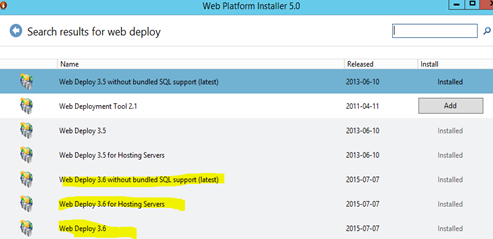
3. Configure web deploy publishing for the site.
4. In IIS machine hosting the site, create a user say “deployadmin” and add it to administrators group.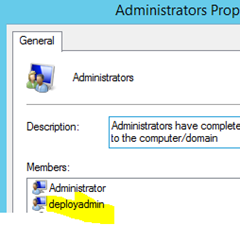
5. Setup deployment execution machine with web deploy 3.5 and the with web deploy 3.6 using webpi
6. Using the below PS script you can deploy the site. To run this script powershell 5.0 is required. Download powershell 5.0 from here.
.\DeploySite.ps1 -MSDeployPath "C:\Program Files (x86)\IIS\Microsoft Web Deploy V3" -packageWWWRoot "C:\temp\Portal\wwwroot" -websiteName DeployTest -targetFQDN yourserver.yourdomain -deployUser yourserver\deployadminuser -deployUserPwd deplyuserpwd
param($MSDeployPath, $packageWWWRoot, $websiteName, $targetFQDN, $deployUser, $deployUserPwd)

. "$MSDeployPath\msdeploy" -verb:sync -source:iisapp=$packageWWWRoot -dest:iisapp="$websiteName",computerName=$targetFQDN,username=$deployUser,password=$deployUserPwd -enablelink:contentlibextension -allowUntrusted


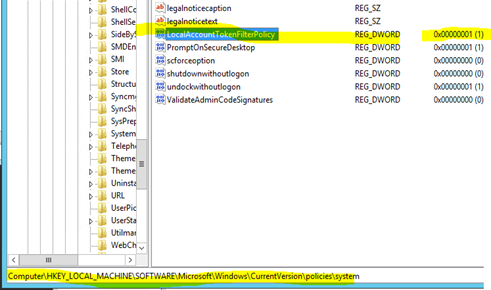
To solve the issue ERROR_USER_NOT_ADMIN follow the instructions here.
Registry fix (bit of a hack) for target IIS machine.