You needed to setup dedicated machines for testing when using Run Functional Tests and you had to execute, Deploy Test Agent step and Copy Files step as prerequisites. With the introduction of unified agent enabling build, deployment and testing using same agent, now it is possible to setup pool of machines as Test clients to cater multiple project needs. You can even deploy and test using the same agent if you wish to do so. Unified agent support is available to run tests as multi-machine distributed execution. You do not require to execute copy files task as artifacts downloaded by the agent can be used for running tests. Let’s look at how to prepare a unified agent for running UI tests.
Showing posts with label testing with TFS. Show all posts
Showing posts with label testing with TFS. Show all posts
Sunday, 10 December 2017

Monday, 22 July 2013
MTM - Enable Screen Capture for Testing
There is build in screen capture capability coming with MTM/VS 2012. It is another cool feature giving great input for the developers when they try to reproduce the bugs. Simply you do not have to complain as developers, that I cannot reproduce in my machine, because I am not sure what the QA has done. Now you can see each of the actions QA performed for testing.
Lets look at how to enable the screen capturing in MTM (Microsoft Test Manager).
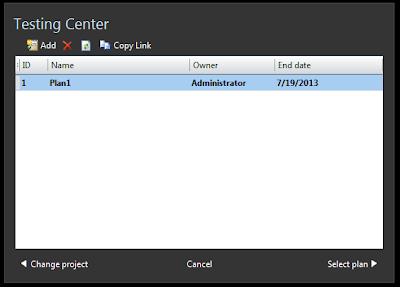
First you have to open MTM and connect to a test plan.

Give a name to settings

Set roles

Go to Data and Diagnostics and enable Screen and Voice Recording

You can set additional options by clicking on configure

That it and you are done.

Now when you run tests with the test plan screen recording will start automatically.


When you create a bug it captured video will be added to the bug, and the action recording will give more info. as well.

The Bug now has a link to the captured video of the test actions performed.

You can play the video in a media player.

Subscribe to:
Posts (Atom)
Popular Posts
-
 The hosts file in /etc/hosts is allowing the WSL distros to map IP addresses to domain names before going to domain name servers, similar...
 -
 Can a Coded UI test executed with a Console Application? Yes it is possible. I am going to explain how it can be done. I am going to exec...
 -
Pull Request are the controlled way to bring in the changes to your stable branches in your Azure Git repos, or for that matter all Git prov...
-
The new Azure Managed Redis can be deployed with balanced compute and memory with high availability, and useful modules such as RedisJson a...
-
We have discueed, that we have to use an environment variable to handle input parameter default values, if we are using trigger for workflo...


